Animations
Add animations to dynamic layers
Presets
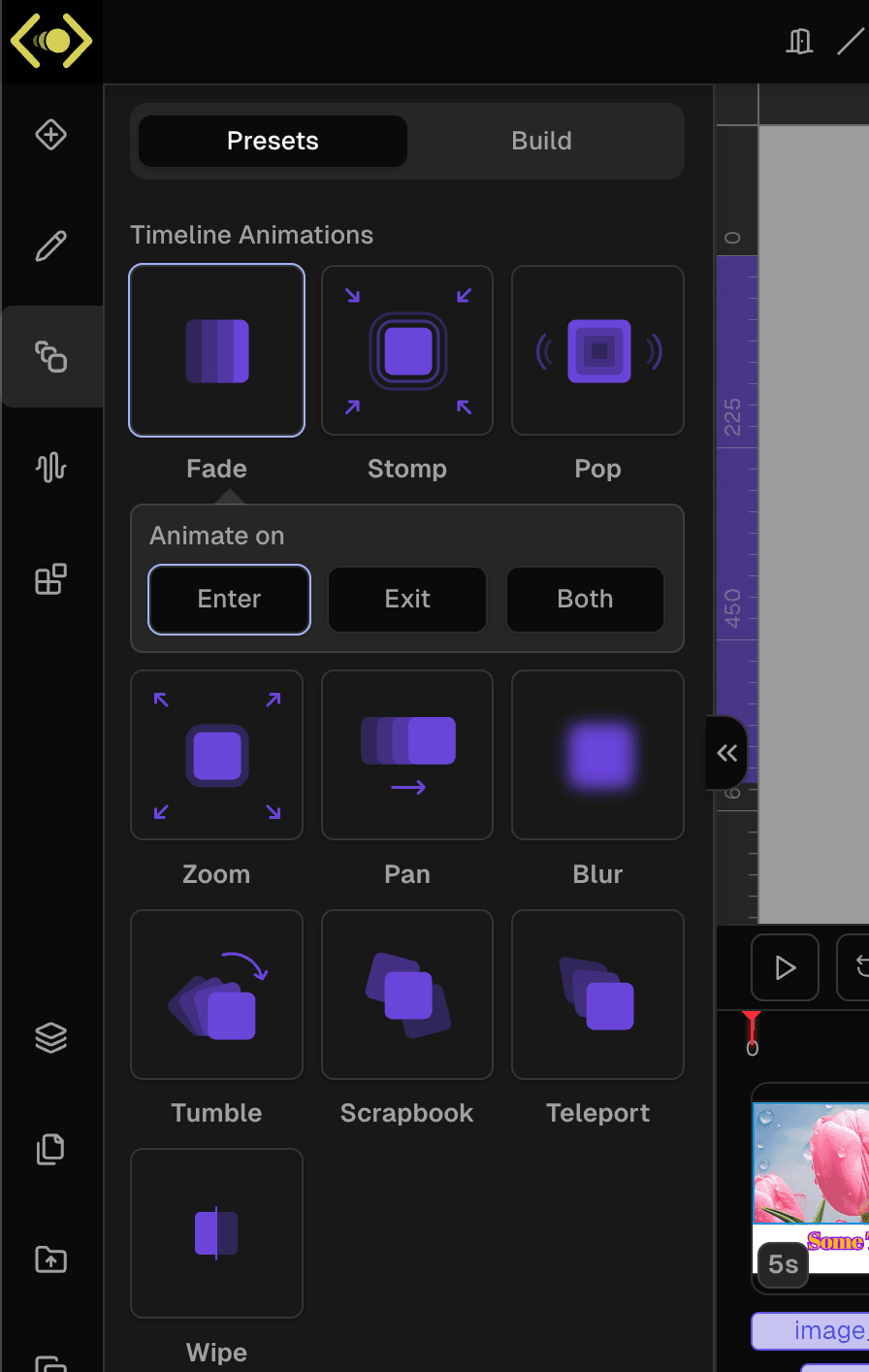
There are many animation presets available. For each preset you can choose when to animate (on Enter, Exit or Both) along with preset specific parameters (Direction, Rotation, Split type).
Build custom animation
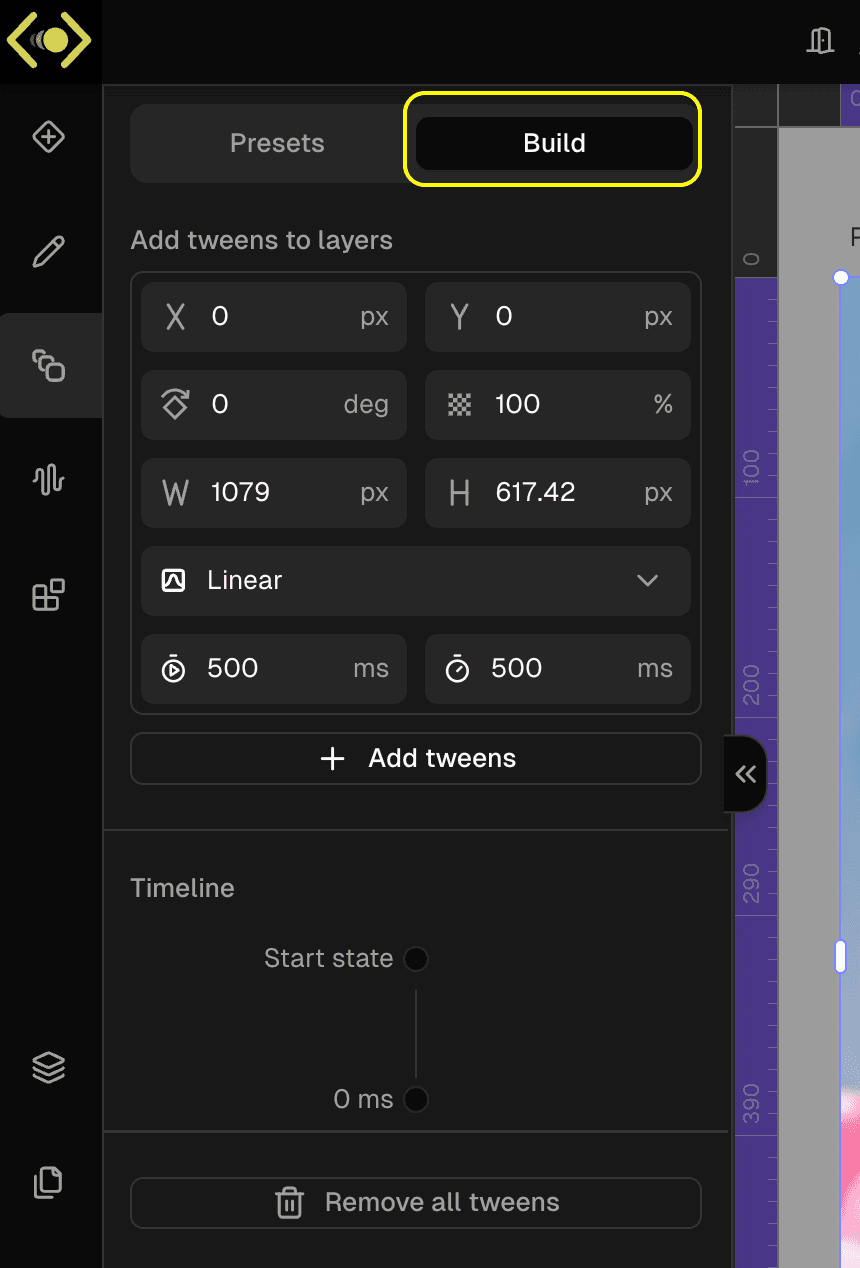
You can also build custom animations by selecting the layer and navigating to Build tab.
To create custom animation:
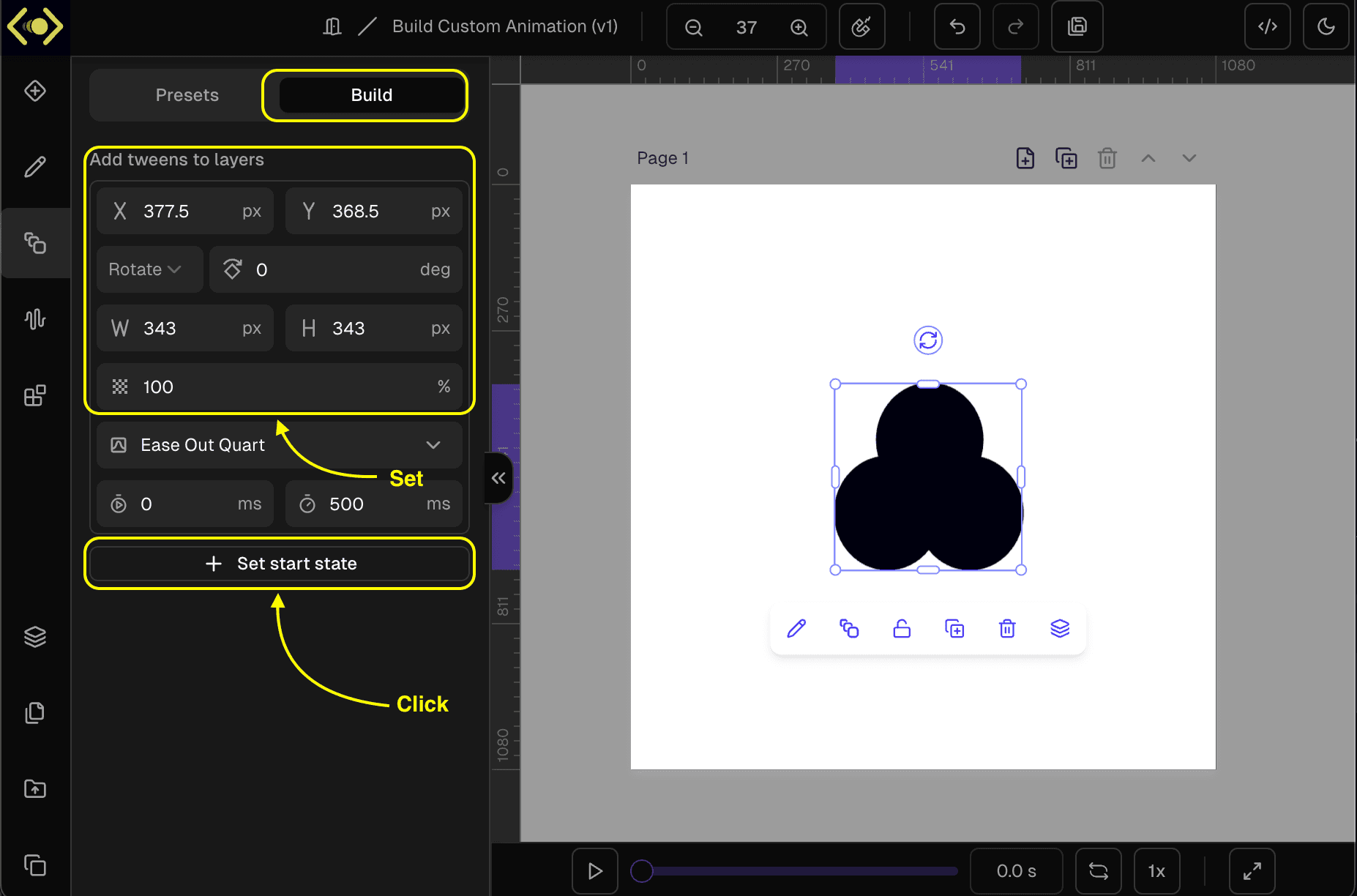
1. Set start state
- Select a layer.
- Set the desired start state (X, Y, Rotation, Width, Height, Opacity) and click
Set start state.
2. Add tweens
- Change the layer properties.
- Select Easing function, Start time and Duration for the tweens.
- Click on
Add Tweens.
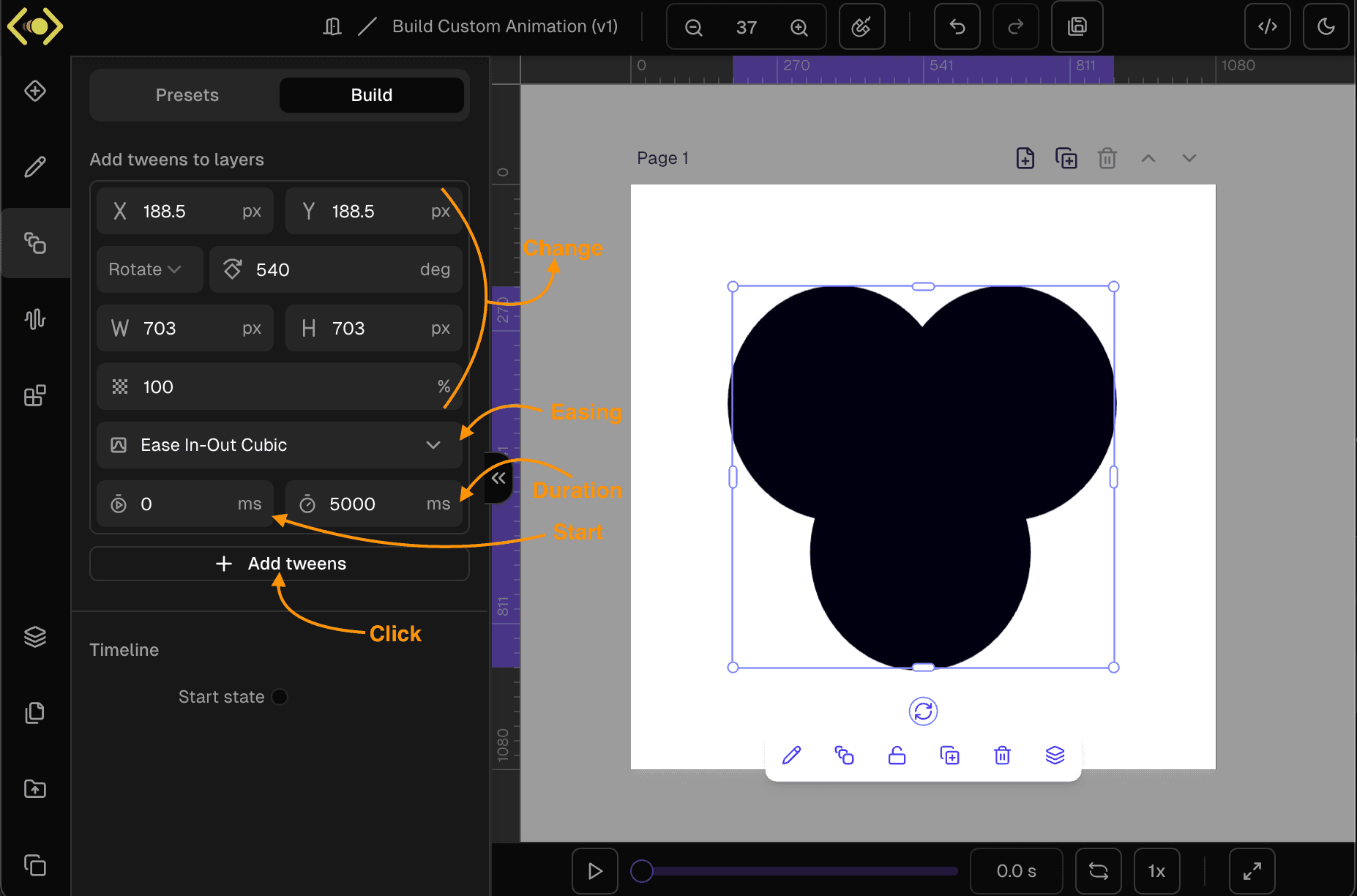
3. Preview
Click on the Play button in playback controls on Timeline Manager
Page transitions
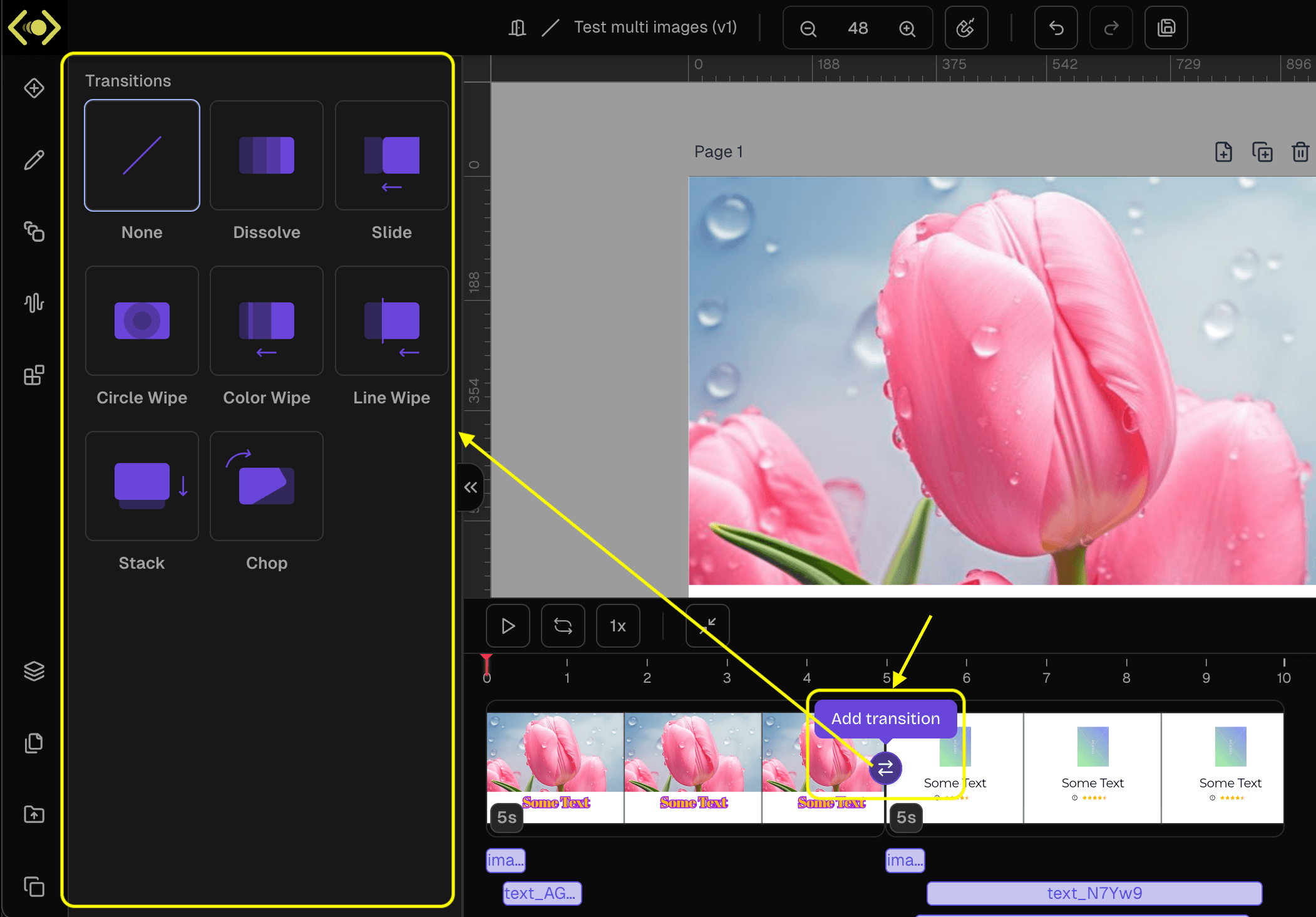
If you have multiple pages in the template you can add transitions between pages.
- Open the timeline manager and click on
Add transitionbutton. This will open a selection of page transition presets. - You cab then select and configure the desired transition between the pages.